
Recovering a compromised Microsoft 365 environment and rebuilding identity security.
An organisation contacted CZECHMATE following suspicious activity within its Microsoft 365 environment. Investigation confirmed that multiple accounts had been compromised through a phishing attack.
CZECHMATE already supported the organisation's Microsoft 365 environment, and MFA was already enforced. The incident demonstrated that MFA alone was not sufficient against this type of phishing and led to a stronger, layered identity-security model.
This case study has been anonymised. Identifying information, user details and sensitive security configuration have been removed.
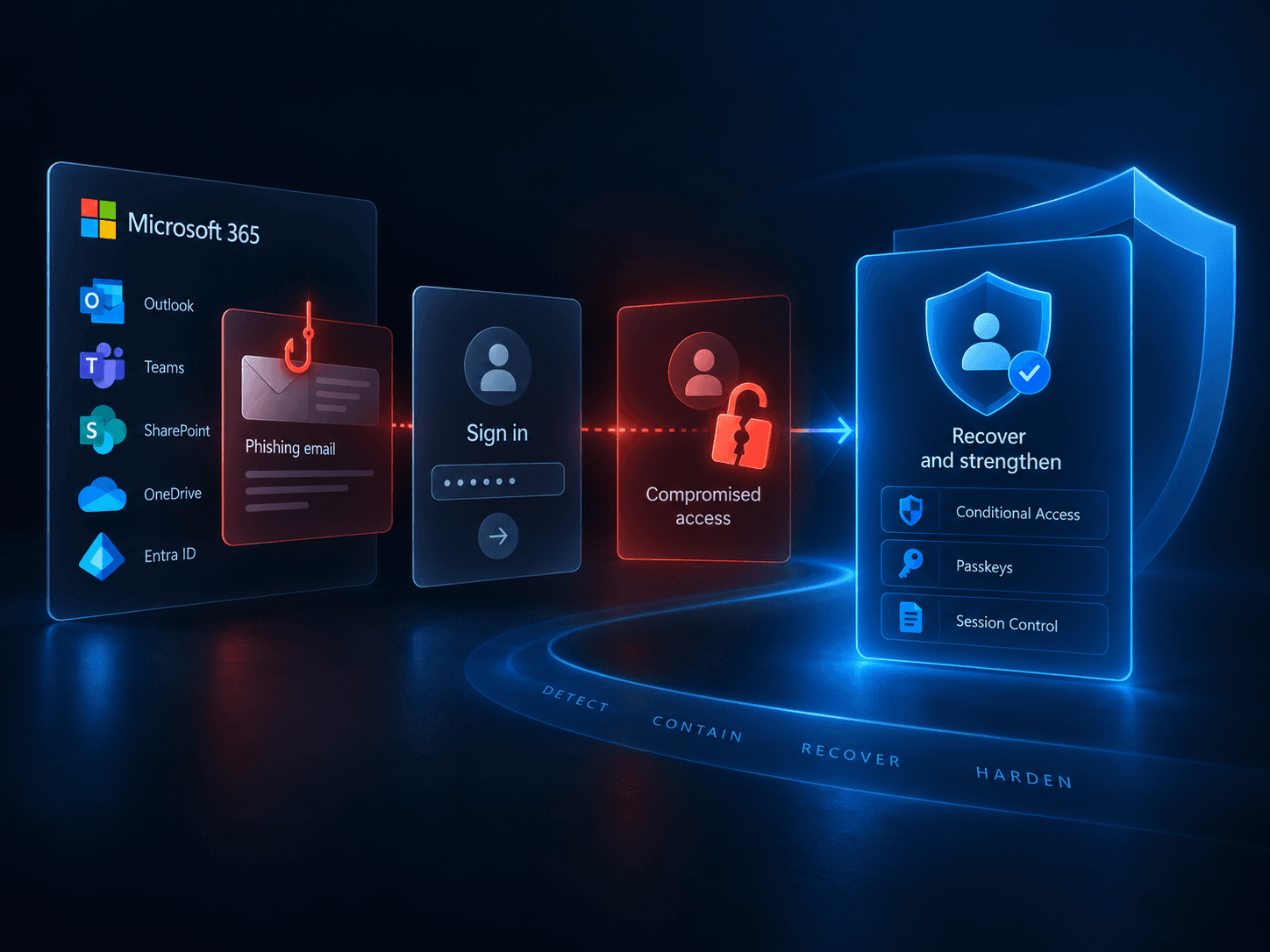
A trusted-looking message led to a fraudulent sign-in.
The email appeared to come from a trusted contact and directed the user to what looked like shared Microsoft or SharePoint files.
The user entered their Microsoft 365 credentials and approved the MFA request, believing they were accessing shared files. That completed a legitimate Microsoft sign-in, but the phishing process allowed the attacker to reuse the authenticated session.
In practical terms, the attacker could continue using the signed-in session without repeatedly entering the password or completing MFA again.
The account was still compromised.
MFA remains essential. In this incident it was successfully completed, but the phishing process captured a signed-in session that the attacker could reuse. Traditional MFA alone was therefore insufficient against this attack, so stronger layered identity controls were introduced afterwards.
Identity security requires multiple layers.How the compromise unfolded.
- Phishing email received
A message appeared to come from a trusted contact.
- Fake Microsoft sign-in
The user entered Microsoft 365 credentials and approved MFA.
- Signed-in session captured
The attacker was able to reuse the authenticated session.
- Account accessed
Microsoft 365 services and the mailbox were accessed.
- Continued access established
Additional authentication methods, application access and malicious mailbox rules were added.
- Mailbox used for further phishing
The compromised account was used to target existing contacts.
- CZECHMATE incident response
Access was contained, activity investigated, malicious changes removed and the environment hardened.
The compromised account became part of the attack.
A message sent from a real account belonging to an existing contact can be much more convincing than unsolicited phishing.
- Trusted account compromised
- Phishing sent from real account
- Recipient trusts message
- Fake Microsoft sign-in
- Next account compromised
Attacker activity was made less visible.
Malicious Exchange Online mailbox rules moved selected messages and concealed evidence of attacker activity. They did not mean that every message was intercepted or permanently removed.
Unusual activity confirmed the compromise.
CZECHMATE reviewed the organisation's Microsoft 365 and Entra sign-in activity. Access was identified from locations and sessions that did not match normal user activity, confirming that the accounts had been compromised.
The investigation reconstructed what happened and what the attackers changed or accessed.
- Sign-ins
- Authentication methods
- Mailbox rules
- Application permissions
- Outbound activity
- Microsoft 365 service activity
Changing the password was only the first step.
A proper investigation also reviewed active sessions, authentication methods, application permissions, mailbox rules, forwarding and redirection, outbound email, sign-in history and Microsoft 365 service activity.
From detection to stronger protection.
- 01Detect
Confirm suspicious activity represents a genuine compromise.
- 02Contain
Reset credentials and revoke active sessions.
- 03Investigate
Reconstruct sign-ins, account changes, application access and mailbox activity.
- 04Remove attacker changes
Remove unauthorised authentication methods, malicious mailbox rules and suspicious application access.
- 05Harden
Introduce Conditional Access and stronger identity controls.
- 06Protect
Move to phishing-resistant passwordless authentication.
A stronger identity-security baseline.
Following containment and investigation, CZECHMATE introduced confirmed Conditional Access and identity controls. These measures reduce risk; they do not make compromise impossible.
Identity
- MFA enforced
- Phishing-resistant passkeys
Access
- Geographic restrictions
- Controlled travel exceptions
- Device/platform restrictions
Session
- Persistent browser sessions restricted
- Legacy authentication blocked
Enrolment
- MFA required for Entra device joining
MFA is one layer.
Conditional Access, session controls, access restrictions and phishing-resistant authentication work together to create a stronger identity model.
Less reliance on reusable passwords.
The incident demonstrated why identity security should not stop at traditional MFA. The revised environment uses passkeys and phishing-resistant authentication to reduce reliance on reusable passwords and sign-in methods that phishing sites can imitate.
Traditional MFA was the main control.
- MFA enabled
- Reusable credentials remained part of sign-in
- Broader geographic access
- Persistent browser sessions
- Legacy authentication still possible
- Fewer layered identity controls
Layered controls now protect identity and access.
- Conditional Access baseline
- Geographic restrictions
- Controlled travel exceptions
- Persistent sessions restricted
- Legacy authentication blocked
- Phishing-resistant passkeys enforced
Recovered access. Reduced exposure. Stronger identity security.
Recovered
- Unauthorised sessions revoked
- Malicious mailbox rules removed
- Unauthorised authentication methods removed
- Suspicious application access investigated and remediated
Hardened
- Conditional Access baseline introduced
- Geographic and session restrictions applied
- Legacy authentication blocked
- Phishing-resistant passkeys introduced
Recovery stopped the incident. Hardening changed the environment.
Concerned about Microsoft 365 security?
Talk to us if you need help investigating suspicious Microsoft 365 activity or strengthening identity security around your operating requirements.
Contact us